
A Patient PortalYour Patients WillActually Use
Most portals are not short of features. They are short of people logging in. Elixir's patient portal is built around the handful of things patients genuinely come back for, their next appointment, their results, a message to someone who knows them and it is connected to the same record your clinicians work in.
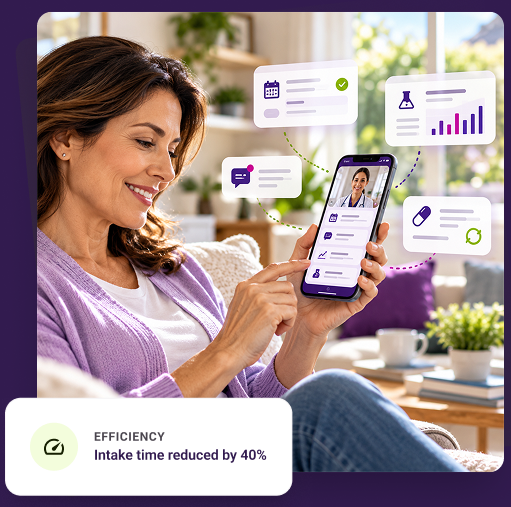

EfficiencyIntake time reduced by 40%

Built for adoption
Designed around the few things patients return for, not a feature list.

One record
What a patient sees is the same record the clinician works in.

Proxy access, done properly
Family and professional caregivers are not the same permission.

Life after discharge
Alumni engagement built in, not bolted on afterwards.
For patients
What patients can do in the Elixir patient portal
Written as things a person does, because that is how a patient decides whether an app is worth keeping.

See and change their next appointment
Book, reschedule or cancel online, with reminders that cut down on the ones people simply forget.
Self-scheduling sync


Read their own records
Demographics, medical history, diagnoses, medications and immunisations, in one place rather than across three phone calls.
Continuous chart view


View and download lab results
Results when they are released, downloadable to take to another provider.
Direct PDF export


Message their care team securely
Secure messaging that reaches the people who know them, instead of a general inbox and a callback promise.
Routed to assigned team


Complete forms before arriving
Intake forms, questionnaires, surveys and consent documents finished at home rather than on a clipboard in the waiting room.
Zero clipboard delay


Understand and pay a bill
Statements they can read, with a payment they can make without ringing the billing office to ask what the charge was for.
Itemised claim link

Adoption
Why most patient portals go unused, and what we do about it
Every portal demo shows a full feature list. Six months later the login numbers tell a different story. These are the four reasons people stop, and what the product does about each.
- Sign-up
The account was never activated
Registration happens at the worst possible moment — during intake, on someone else's device, while the patient is anxious. What we do: activation is simple, resumable, and does not depend on a paper handout the patient will lose.
 SMS-resumable onboarding links
- Password
They cannot get back in
The single most common reason a portal dies. Patients return months apart, by which point the password is gone. What we do: recovery that does not require a phone call, and for pre-visit tasks, a secure link with no login at all.
Passwordless pre-visit authentication - Emptiness
There is nothing there when they look
A portal with no new result, no message and no upcoming appointment teaches people not to check it again. What we do: notify when something actually changes, rather than on a schedule.
Event-driven notifications only - Dead end
Their message went nowhere
One unanswered message ends portal use permanently. What we do: messages land in the same system the care team works in, so replying is part of the workflow rather than another inbox to remember.
Native in-chart inbox routing
“A portal's real measure is not how many features it has. It is how many patients open it twice.”
Access and permissions
Family caregivers and professional caregivers are not the same permission
This is where portals quietly go wrong. A daughter helping her father manage appointments, a professional caregiver working a shift, and a patient in addiction treatment who wants their family to see some things and not others are three different access problems.
Treating them as one “caregiver login” is how the wrong person sees the wrong record. Each relationship gets its own authorisation, its own consent record, and its own scope of what is visible.
Who can see what, decided per relationship and recorded, not assumed.
 Granular scoping engine
- Consent Expiry TrackingActive
- Audit Trail Integrity100% Logged
| Who | What that relationship needs |
|---|---|
| The patient | Their own record, their appointments, their results and their bills. |
| Family or proxy | Authorised access with a consent record behind it, scoped to what the patient agreed to share. |
| Professional caregiver | Task and schedule information for the work they do, not the full clinical history. |
| Alumni | Continued community and resource access after discharge, without ongoing clinical access. |
Access is configured per relationship and per organisation.
For behavioral health and addiction treatment
 Consent for family access is recorded, scoped and revocable.
- Sensitive-record handling follows the controls configured for your organisation.
- Confirm applicable 42 CFR Part 2 requirements with your privacy reviewer for your programmes.
Honest limits
And for the patients who will never log in
Some people will not create an account. Not because the portal is bad, but because they are eighty-one, or between phones, or simply not going to. Pretending otherwise is how organisations end up with a portal and a call queue.
So the tasks that matter most before a visit do not require an account at all. Visit Prep sends a secure text link, verifies the patient's identity, and lets them share what they want to discuss, no app, no password, nothing to remember. The agenda still reaches the provider in the chart.
The portal serves the patients who will use it. Something else serves the ones who will not.
Explore Visit PrepConnected
How the portal connects to the rest of Elixir

Electronic Health Record
What a patient sees is the same record the clinician documents in.

Revenue Cycle Management
Statements and payments tie to the claim, not a separate ledger.

Contact Center
Portal messages reach the team already handling intake and enquiries.

Scheduling
Self-service booking respects the same rules as the front desk.
Frequently asked questions about the Elixir patient portal
The questions provider organisations ask most often.
Can patients see their lab results in the portal?
Yes. Results can be viewed and downloaded once released, and the release rules follow the configuration your organisation sets.
Is portal messaging secure?
Messaging is secure and HIPAA-compliant, and messages reach the care team inside the same system they already work in rather than a separate inbox.
Can a family member access a patient's record?
Only through authorised proxy access with a consent record behind it, scoped to what the patient agreed to share. Family access and professional caregiver access are configured separately.
What if a patient will not use a portal at all?
Pre-visit tasks do not require an account. Visit Prep sends a secure text link with identity verification, so a patient can share what they want to discuss without an app or a password.
Can patients complete intake forms before they arrive?
Yes. Intake forms, questionnaires, surveys and consent documents can be completed ahead of the appointment, with reminders for anything outstanding.
Can patients pay a bill through the portal?
Yes. Patients can view statements and make a payment, with the transaction tied back to the billing record rather than held separately.
Does the portal support alumni after discharge?
Yes. Alumni engagement includes a planned contact schedule, community groups, shared resources and the ability for alumni to refer someone through the portal.
Does the portal use the same record as the EHR?
Yes. The portal is part of Elixir rather than a connected third-party product, so what a patient sees is the record the clinical team works in.
After discharge
Alumni engagement: staying connected after treatment ends
In addiction treatment and behavioral health, the weeks after discharge matter as much as the weeks before it. Most portals stop at the discharge date. This one does not — and for the organisations Elixir is built for, it is the capability that most often has no equivalent elsewhere.

A planned contact schedule
Define the post-treatment touch points and see attempts and responses at a glance, rather than reconstructing who was called from memory.
 Automated cadence

Community, not just content
Create groups former patients can join, so the environment after recovery has somewhere to belong.
 Peer recovery spaces

Materials that still arrive
Share relevant resources with alumni who have left active treatment but have not left your care.
 Targeted education

Referrals from people who trust you
Let alumni refer someone directly through the portal, which is how most behavioral health referrals actually happen.
 Direct intake handoff
See the patient portal in Elixir
See it the way your patients would
Walk through registration, a first appointment, a message, a result and a bill — on your own appointment types and consent rules.